• Home
  • Knowledge Base
  • Tickets
  • User Guide
  • Main Site
WorkInConfidence Support
  • Home
  • Knowledge Base
  • Tickets
  • User Guide
  • Main Site

Knowledge Base

Home/Knowledge Base/Getting Started

Registering for WorkInConfidence as a Conversation Recipient (Manager)

  • Updated: June 25, 2021
  • / Author: Neil Thompson

If you have been nominated to be a manager on the system it will mean that members of your organisation can send you messages (known as conversations) with their ideas, issues and concerns for you to address. You can have a two-way conversation with these individuals just like you might on email but their identity remains hidden.

To get started you will need to activate your account.

Activating your Account

You will receive a Welcome Email like the one below, open it up and select the Set password option
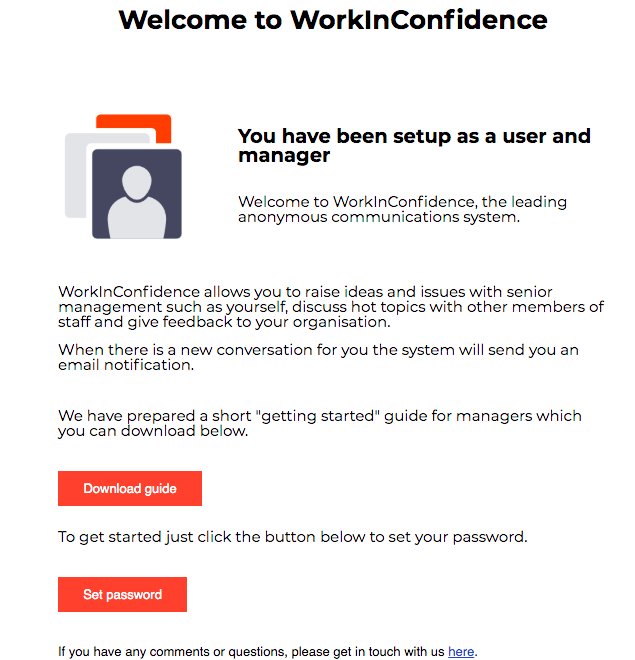
Managers Welcome Email

Welcome Email sent to Managers

Set Password

To get started you will need to click on the Set Password link and create your own password. Once you have set your password you will be able to start or respond to a conversation.

Your new password must be eight characters long and have at least one upper, one lower case letter and a number.

Need more help? If you'd like help or support on any feature of WorkInConfidence then please get in touch by either creating a new support ticket, sending an email to [email protected] or using the chat function in the bottom right of the page.
Related Posts:

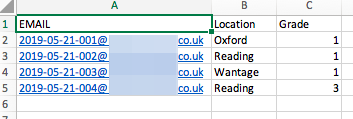
  • Example of a List of Users
    Managing Users in Bulk
  • Frequently Asked Questions (FAQs) for Conversation Recipients (Managers) of WorkInConfidence
    Frequently Asked Questions (FAQs) for Conversation…
  • loginORregister
    Registering for WorkInConfidence
  • Create a Survey Panel on WorkInConfidence Dashboard
    Creating a Survey
Tagged:RegistrationWorkInConfidenceActivateActivate Account

Other Resources


Watch videos on our YouTube Channel

Social Media


Copyright © 2013-2026 WorkInConfidence Limited. All rights reserved

We are using cookies to give you the best experience on our website.

You can find out more about which cookies we are using or switch them off in .

WorkInConfidence Support
Powered by  GDPR Cookie Compliance
Privacy Overview

This website uses cookies so that we can provide you with the best user experience possible. Cookie information is stored in your browser and performs functions such as recognising you when you return to our website and helping our team to understand which sections of the website you find most interesting and useful.

Strictly Necessary Cookies

Strictly Necessary Cookie should be enabled at all times so that we can save your preferences for cookie settings.

Analytics

This website uses Google Analytics to collect anonymous information such as the number of visitors to the site, and the most popular pages.

Keeping this cookie enabled helps us to improve our website.