• Home
  • Knowledge Base
  • Tickets
  • User Guide
  • Main Site
WorkInConfidence Support
  • Home
  • Knowledge Base
  • Tickets
  • User Guide
  • Main Site

Knowledge Base

Home/Knowledge Base/Getting Started

Navigating around WorkInConfidence

  • Updated: March 15, 2021
  • / Author: Neil Thompson

Getting around WorkInConfidence is very straightforward, and the following post will give you a few pointers on how to use the system confidently and effectively:

The Account Menu

The account menu holds your personal settings and gives you access to functions such as changing your password and email address. You can access this menu by clicking or tapping on the word ‘Account‘ on the top right of the page:
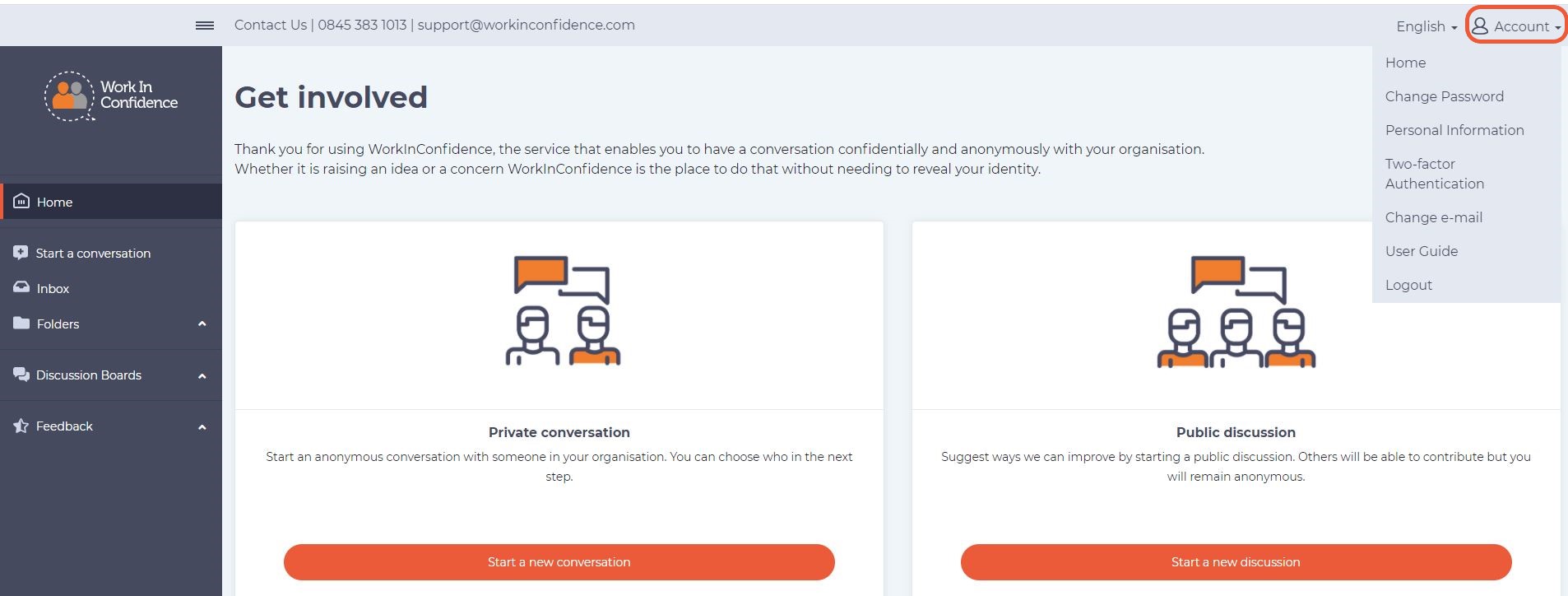
The ‘Account menu’ is in the same place on smartphones and offers the same functionality:
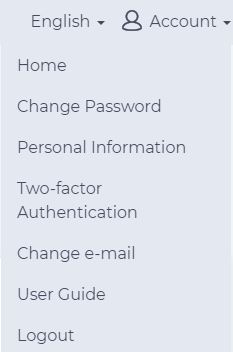
Account Drop Down Overview

The Function Menu
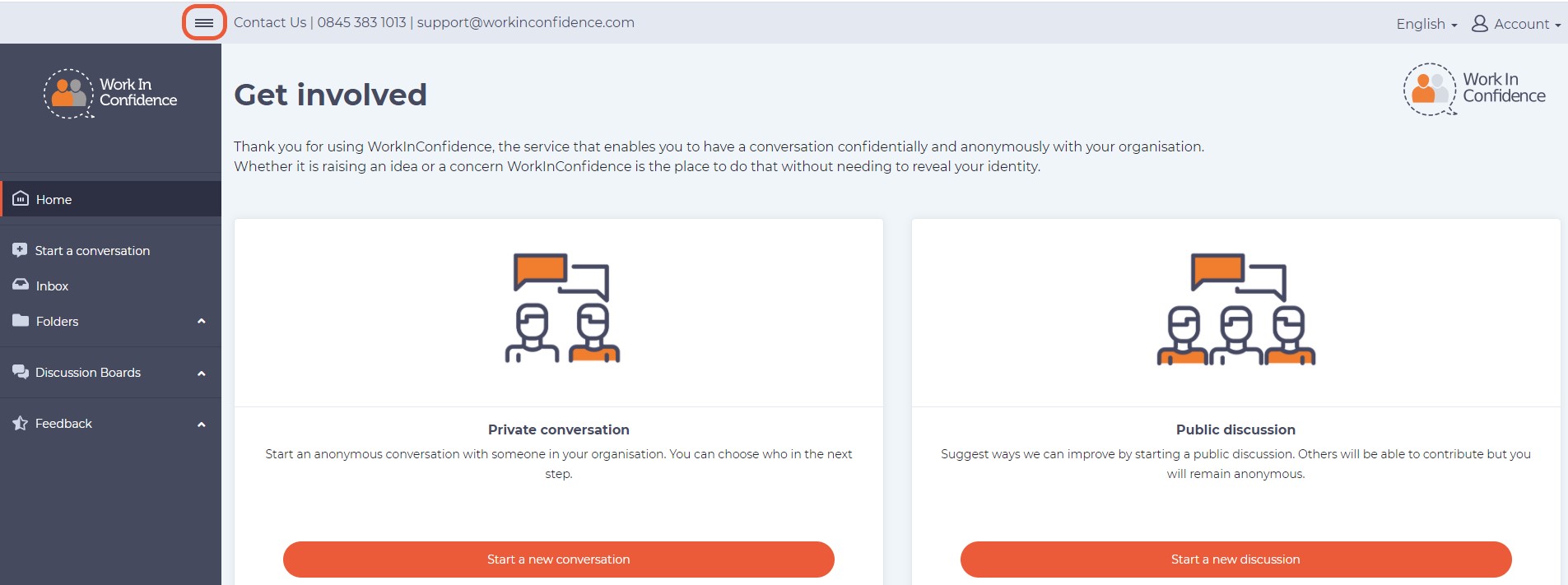
Function Menu on Desktop Browsers

The Function Menu gives you access to system functionality, and will vary depending on the level of access you have been given by your organisation. By default, the Function menu is visible on desktop browsers and can be hidden by clicking the ‘hamburger’ (three horizontal striped icon) in the top left of the screen. Click the ‘hamburger’ again to hide it. Your preference will be remembered on this browser.

On smartphones and tablets the Function menu is hidden by default – but again – can be displayed by clicking the ‘hamburger’ (three horizontal striped icon) on the top left of the screen. Click the ‘hamburger’ again to hide it or select an option from the menu.
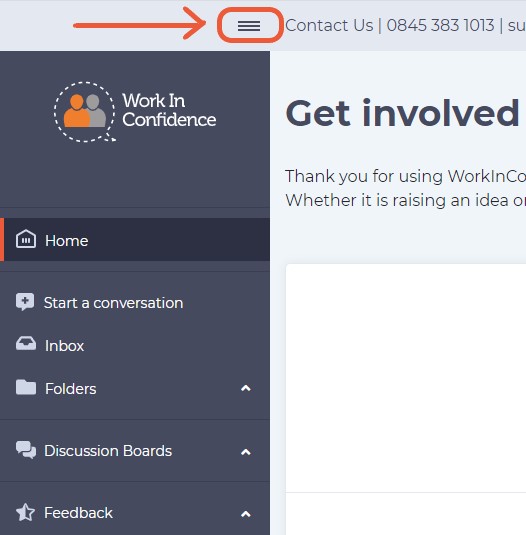
Function Menu on Smartphones and Tablets

Need more help? If you'd like help or support on any feature of WorkInConfidence then please get in touch by either creating a new support ticket, sending an email to [email protected] or using the chat function in the bottom right of the page.
Related Posts:

  • Example of a List of Users
    Managing Users in Bulk
  • Frequently Asked Questions (FAQs) for Conversation Recipients (Managers) of WorkInConfidence
    Frequently Asked Questions (FAQs) for Conversation…
  • loginORregister
    Registering for WorkInConfidence
  • Create a Survey Panel on WorkInConfidence Dashboard
    Creating a Survey
Tagged:WorkInConfidenceFunction MenuAccount Menu

Other Resources


Watch videos on our YouTube Channel

Social Media


Copyright © 2013-2026 WorkInConfidence Limited. All rights reserved

We are using cookies to give you the best experience on our website.

You can find out more about which cookies we are using or switch them off in .

WorkInConfidence Support
Powered by  GDPR Cookie Compliance
Privacy Overview

This website uses cookies so that we can provide you with the best user experience possible. Cookie information is stored in your browser and performs functions such as recognising you when you return to our website and helping our team to understand which sections of the website you find most interesting and useful.

Strictly Necessary Cookies

Strictly Necessary Cookie should be enabled at all times so that we can save your preferences for cookie settings.

Analytics

This website uses Google Analytics to collect anonymous information such as the number of visitors to the site, and the most popular pages.

Keeping this cookie enabled helps us to improve our website.