• Home
  • Knowledge Base
  • Tickets
  • User Guide
  • Main Site
WorkInConfidence Support
  • Home
  • Knowledge Base
  • Tickets
  • User Guide
  • Main Site

Knowledge Base

Home/Knowledge Base/Administering WorkInConfidence

Customising the System – Look and Feel

  • Updated: November 11, 2021
  • / Author: Neil Thompson

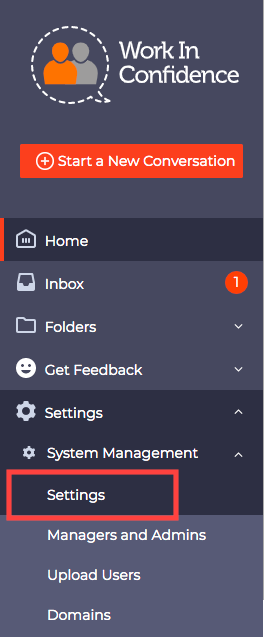
As an Administrator, there are a number of ways that you can tailor the look and feel of the system to meet your organisation’s needs. These are all accessed by selecting Settings > System Management > Settings again.
Customising System Settings

Customising System Settings

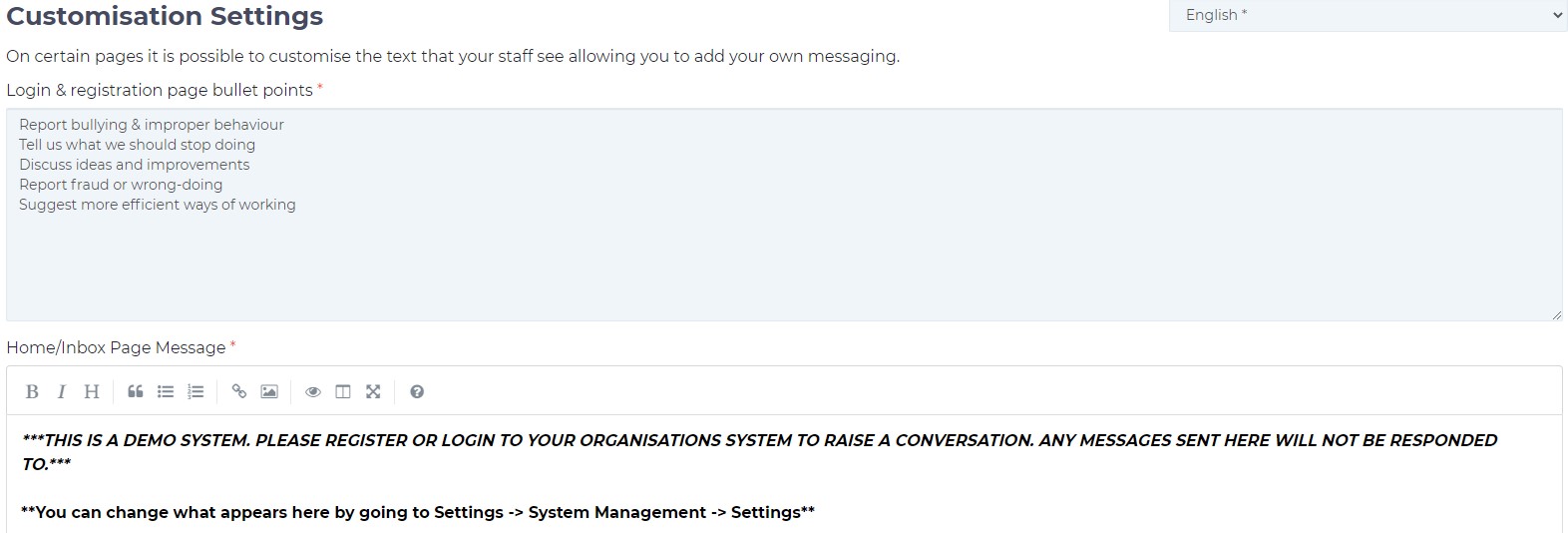
Customisation Settings

It is possible to alter the text that is displayed on the Login & registration Page, Home/Inbox Page, Start a New Conversation page and influence what Users see after logging into the system:
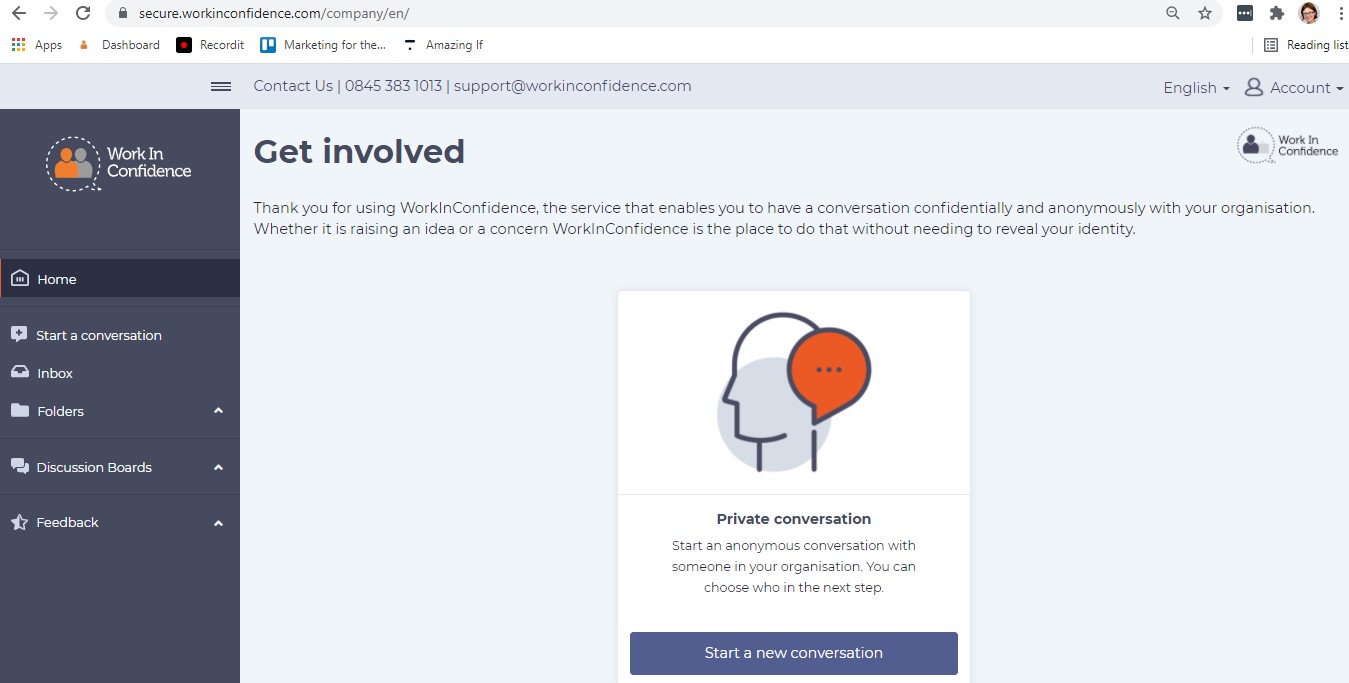
For the Home/Inbox page (visible when the user logs into the system) an Admin can either use the existing wording as presented below (a text between Get Involved and an icon/panel: Private Conversation) or amend it per the organisation’s guidance:
It is also possible, however, to add an image with the suggested wording instead of a plain text, like on an example below:
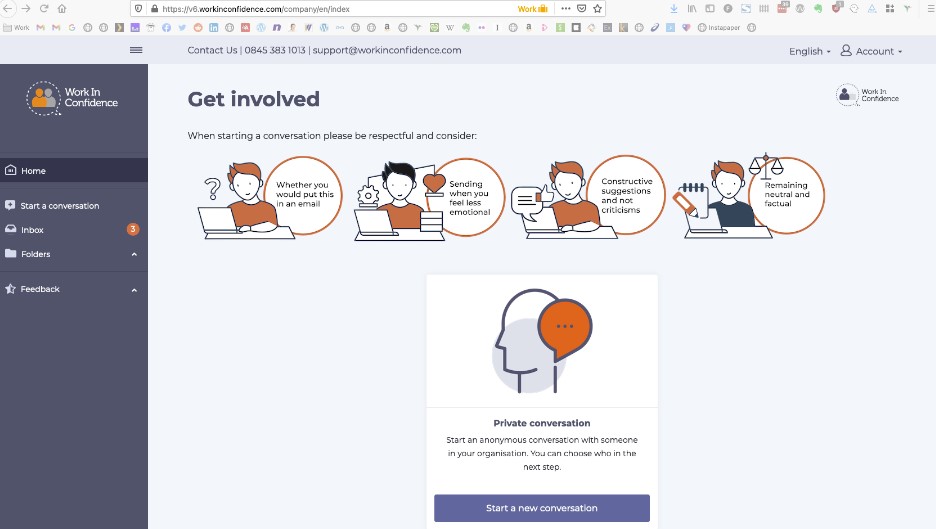
If you are interested in having your own image added to the system, please contact Customer Support team at [email protected] for further guidance on how to achieve that.

For Start a New Conversation Message – the amended text in the Admin view (as per below) will appear at the top of the user’s new conversation page:

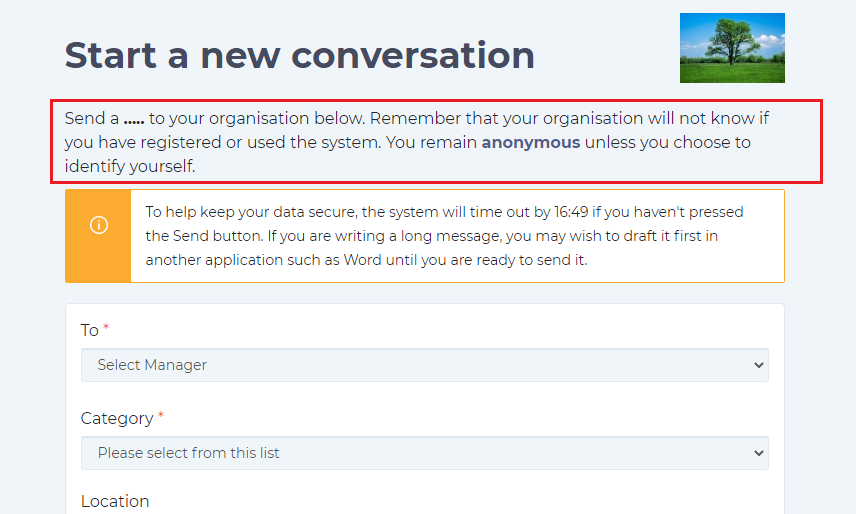
Client Logo

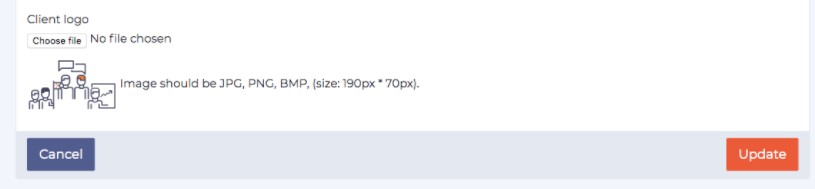
It is also possible to upload your organisation’s logo.  Images should be in JPG, PNG or BMP format and (size 190px 70px)

Once you are happy with the changes you have made you will need to select the Update button at the right hand side, bottom of the page:
Need more help? If you'd like help or support on any feature of WorkInConfidence then please get in touch by either creating a new support ticket, sending an email to [email protected] or using the chat function in the bottom right of the page.
Related Posts:

  • Customising System Settings
    Customisation of your organisation's instance of the…
  • Example of a List of Users
    Managing Users in Bulk
  • Frequently Asked Questions (FAQs) for Conversation Recipients (Managers) of WorkInConfidence
    Frequently Asked Questions (FAQs) for Conversation…
  • When did managers last access their account
    Dealing with Managers that are Leaving or have Left…
Tagged:WorkInConfidenceCustomisationLogoLook and FeelCustomisation SettingsPersonalisation

Other Resources


Watch videos on our YouTube Channel

Social Media


Copyright © 2013-2026 WorkInConfidence Limited. All rights reserved

We are using cookies to give you the best experience on our website.

You can find out more about which cookies we are using or switch them off in .

WorkInConfidence Support
Powered by  GDPR Cookie Compliance
Privacy Overview

This website uses cookies so that we can provide you with the best user experience possible. Cookie information is stored in your browser and performs functions such as recognising you when you return to our website and helping our team to understand which sections of the website you find most interesting and useful.

Strictly Necessary Cookies

Strictly Necessary Cookie should be enabled at all times so that we can save your preferences for cookie settings.

Analytics

This website uses Google Analytics to collect anonymous information such as the number of visitors to the site, and the most popular pages.

Keeping this cookie enabled helps us to improve our website.